Quick answer
When clients search for a real estate agent, your headshot is often their first point of visual contact. A successful realtor headshot outfit relies on solid, mid-tone or dark neutral colors—such as navy, charcoal, slate blue, warm olive, or rich jewel tones—with structured necklines that frame the face without competing patterns, distracting jewelry, or overly stiff formalwear. The background must provide clean, believable context: a softly blurred modern interior, subtle architectural elements, natural outdoor greenery, or a neutral studio backdrop that complements your brokerage colors without cluttering the frame.
The goal of this combination is not to project an unattainable glamour shot or guarantee sales outcomes; it is to establish a recognizable, approachable likeness that serves your everyday client interactions. A headshot must function across multiple operational formats, from wide website banners and yard signs down to 100-pixel mobile search thumbnails and listing portals. Choosing the right outfit and background requires balancing your local property market, your brokerage brand, and strict likeness standards so that clients meet the exact same professional they saw online.
Who Should Use This Workflow (and When Another Method Is Safer)
This decision framework is designed for licensed real estate agents, associate brokers, and team members who need to update an outdated profile image, adapt their branding to a new property market, or evaluate wardrobe and setting options before an upcoming photography session. If your current photo is more than three years old, or if your hairstyle, facial hair, or everyday appearance has significantly changed, updating your image prevents awkward first-meeting discrepancies.
However, certain circumstances require alternative approaches:
- Strict Corporate Franchise Mandates: If your national franchise or local brokerage enforces an exact brand guide—such as a specific seamless grey vinyl backdrop, a mandatory team border, or a standardized corporate pose—adhere strictly to those corporate specifications rather than testing custom settings.
- Tailoring and Physical Fit Questions: Digital previews cannot evaluate physical garment comfort, fabric breathability, or tailor alterations. If you are unsure how a suit jacket drapes across your shoulders in person, work with a professional tailor and an experienced headshot photographer.
- Platform Compliance Rules: If you are submitting imagery to local multiple listing services (MLS), state licensing registries, or directory profiles that prohibit digital modifications, use an unedited, original photographic capture taken by a licensed photographer.
What to Hold Constant Before Comparing Options
Evaluating headshot variations requires a controlled review. When comparing different jackets, colors, or background settings, changing multiple variables simultaneously makes it impossible to determine what actually improves the image.
To conduct a fair evaluation, hold these baseline factors constant:
- Facial Expression and Pose: Keep your head tilt, posture, and facial expression identical across comparisons. An open, pleasant, closed-mouth smile or slight tooth reveal should remain fixed so you evaluate the clothing, not a change in mood.
- Crop and Framing: Maintain a standard chest-up framing during your initial assessment. If you change your crop from a tight headshot to a full-body portrait while changing your shirt color, you cannot accurately assess how the collar frames your jawline.
- Lighting Direction and Quality: Directional key light, fill light, and background separation must remain consistent. Changing from soft window light to harsh studio flash alters color saturation and skin tones.
- Brokerage Color Harmony: Rather than matching your outfit directly to your brokerage’s primary logo color—which can make you look like you are wearing a uniform—select neutral foundations that harmonize with your brand assets. If you want a deeper look at business wardrobe foundations, review our guide on what to wear in a LinkedIn photo.
Step-by-Step Selection Process
1. Identify Your Market and Brokerage Context
Real estate is inherently localized. An outfit and background combination that signals competence in an urban luxury condominium market can look out of touch in a rural acreage or coastal community.
As noted in industry reviews such as HousingWire’s realtor headshot guide, the standard for real estate imagery is dressing to the level of the transactions you handle while remaining relatable to your buyers and sellers:
- Metro and Luxury Markets: Structured blazers, tailored sheath dresses, high-thread-count dress shirts, and understated accessories paired with clean architectural glass, muted stone, or neutral studio backdrops.
- Suburban Residential Markets: Smart-casual layers—such as an unbuttoned blazer over a high-quality crewneck or fine-gauge knit, tailored shirts without ties, and soft blouses—paired with warm residential interiors or softly blurred outdoor foliage.
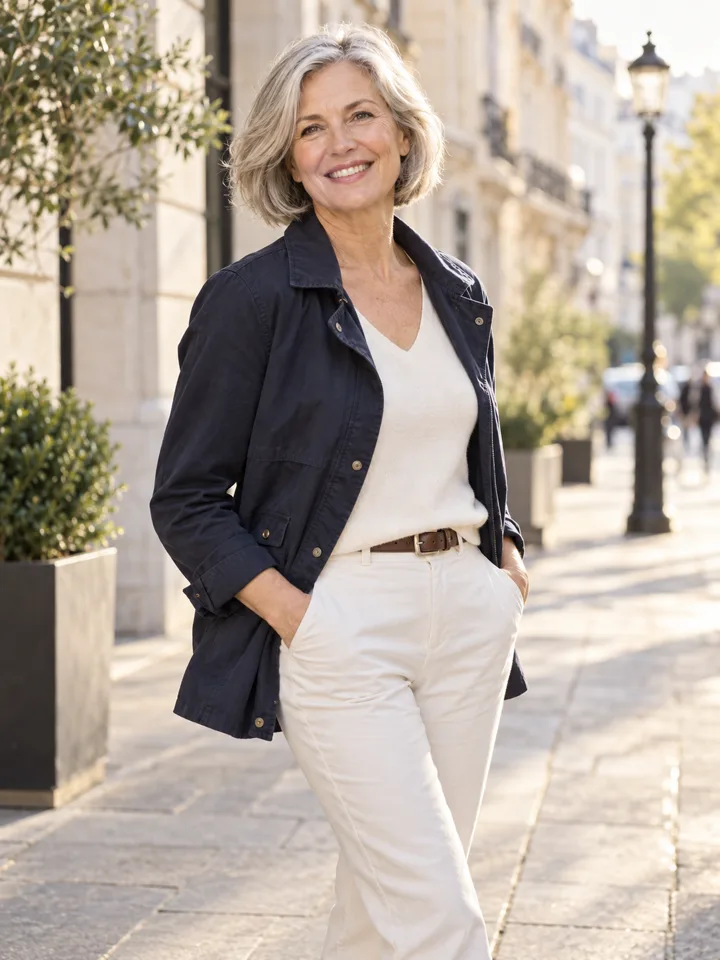
- Resort, Coastal, or Rural Markets: High-end textured fabrics such as linen-cotton blends, tailored chore jackets, or collared casual shirts in earth tones, set against diffused natural environments that reflect the surrounding geography.
2. Select Solid Colors and Structured Necklines
When choosing wardrobe pieces, prioritize solid colors and defined structure:
- Avoid Tight Patterns and Moiré: Fine pinstripes, small houndstooth, and tight gingham create optical interference (moiré ripples) when compressed into digital website thumbnails. Stick to solid fabrics or broad, subtle weaves.
- Frame the Neck and Jawline: Camera lenses flatten three-dimensional depth. A structured jacket collar, blazer lapel, or boatneck top adds vertical definition. Avoid flimsy, floppy collars, shapeless hoodies, or low-cut tops that disappear below the crop line, which can create the illusion of bare shoulders at thumbnail sizes.
- Choose Complementary Contrast: Select clothing colors that contrast with your skin tone, your hair color, and your intended backdrop. If you have dark hair, a black jacket against a dark charcoal background causes your head and shoulders to blend into a single dark silhouette.
3. Choose a Realistic, Uncluttered Background
The background should establish environment and depth without drawing attention away from your face:
- Neutral Studio Backdrops: Light grey, charcoal, or warm taupe backdrops provide clean separation, make cropping simple, and never go out of style.
- Environmental Blur (Bokeh): If using an office, modern home, or outdoor setting, ensure the background is sufficiently out of focus. Individual books on shelves, picture frames, or passing cars should blur into soft shapes rather than readable objects.
- Eliminate Staged Props: Discussions across professional agent communities on Reddit r/RealEstate and Reddit r/headshots repeatedly advise against staged real estate props. Holding a smartphone to your ear, clutching house keys, posing next to a miniature sold sign, or leaning over blueprints looks dated and performative. Let your expression and posture convey capability.
4. Test at Listing-Card and Mobile Thumbnail Size
Most real estate consumers encounter agent photos on mobile screens—inside property search apps, on listing cards, or in compact email headers. A photo that looks striking at 24 inches on a desktop monitor can become unreadable when reduced to an 80×80 pixel circular avatar.
Perform the small-card review:
- Export or view your candidate image at 100×100 pixels.
- Verify that your eyes, smile, and jawline remain clearly identifiable.
- Check that your shoulders have clear edge contrast against the background.
- Ensure your clothing does not blend into the white or light-grey container cards used by major listing portals.
| Market / Specialty | Recommended Outfit | Recommended Background | Common Trap to Avoid |
|---|---|---|---|
| Urban Luxury & Commercial | Dark navy or charcoal tailored blazer, crisp collared shirt or structured dress | Neutral studio or softly blurred modern architectural interior | Black eveningwear or overly reflective glass backdrops |
| Suburban Residential | Tailored blazer over fine-gauge knit, open-collar shirt, or tailored blouse | Softly blurred bright home interior or neutral warm grey studio | Loud plaid patterns, casual cardigans, or visible room clutter |
| Resort & Coastal | Linen-blend tailored jacket, light neutral collared shirt, or earth-tone blouse | Softly diffused natural outdoor shade or subtle patio setting | Sunglasses, beachwear, or harsh direct midday sunlight |
| Land, Farm & Rural | Clean, tailored chore coat, structured button-down, or durable tailored jacket | Diffused open field or soft natural timber backdrop | Overly rugged field gear or formal three-piece boardroom suits |
How to Reject Misleading or Unusable Results
When evaluating headshots—whether taken with a camera, edited in post-production, or previewed using generative styling tools—you must apply strict rejection criteria to protect client trust.
If you use digital tools like LookScene's AI photoshoot to explore styling ideas, understand the product’s operational boundaries. LookScene is an invitation-preview personal AI photo styling tool for adults using their own photos to explore hairstyle, outfit, and portrait-setting options. It is currently available in a free invitation preview, and paid packages are not available. LookScene does not provide garment sizing, exact-SKU virtual try-on, wardrobe management, human styling, or team administration. Crucially, generative models can introduce subtle facial drift, altered body proportions, or distorted fabrics. LookScene does not guarantee that generated details match real-world hair, fabric, body proportions, or identity.
``
Reject any headshot candidate immediately if it displays these failure modes:
- Identity Drift: The image smooths away your natural character lines, alters your eye shape, narrows your jaw, or modifies your nose bridge. If a client meeting you at an open house would hesitate to recognize you based on your photo, reject the image.
- Body Proportion Changes: Generative tools or aggressive wide-angle lenses can artificially broaden or narrow shoulders, distort neck length, or alter posture.
- Fabric Hallucinations: AI previews may generate asymmetrical lapels, missing jacket buttons, melted seams, or impossible fabric textures. Any image displaying structural garment errors cannot be used in professional marketing.
- Lighting Inconsistencies: If sunlight hits your hair from the top right while your face is illuminated from the left, or if your shadow does not match the background environment, the composition will look artificial.
Trade-Offs, Product Limits and Real-World Verification
Every headshot decision involves practical trade-offs:
- Studio Simplicity vs. Environmental Context: A studio background provides complete consistency and never dates, but it can feel formal or sterile. An environmental background adds warmth and localized context, but interior design trends change, meaning an environmental headshot may look dated sooner.
- Trend Fashion vs. Wardrobe Longevity: Choosing trendy colors or seasonal cuts can make you look contemporary today, but classic tailoring in neutral tones (navy, grey, cream, slate) maintains professional relevance for three to four years without requiring a reshoot.
- Digital Previews vs. Physical Execution: Digital styling tools allow you to test whether a forest-green blazer complements your skin tone and brokerage palette before you purchase clothing. However, a digital preview does not replace a physical garment that fits your body, nor does it replace the guidance of a professional photographer who manages lighting, focal length, and posture in real time.
Final Checklist and Next Action
Before commissioning a photographer or publishing an updated headshot to your listings, verify your choice against this operational checklist:
- Current Likeness: Does this image accurately represent my age, hair length, and everyday appearance today?
- Solid Wardrobe: Is the outfit solid in color, free of tight moiré-prone patterns, and constructed with a defined neckline or collar?
- Market Alignment: Does the formality of the clothing and setting match the expectations of buyers and sellers in my specific market?
- Uncluttered Setting: Is the background clean, non-distracting, and free of staged props (phones, keys, signs)?
- Brand Harmony: Does the color palette complement my brokerage materials without clashing or mimicking a uniform?
- Small-Card Legibility: Does the face remain sharp, well-lit, and recognizable when reduced to a 100×100 pixel mobile thumbnail?
If you are currently deciding on a new look, consider testing your preferred color palette and background setting with a controlled digital preview. Once you identify the combination that best reflects your market and brand, assemble your physical wardrobe and schedule a session with a local professional headshot photographer to capture your final, authentic image.