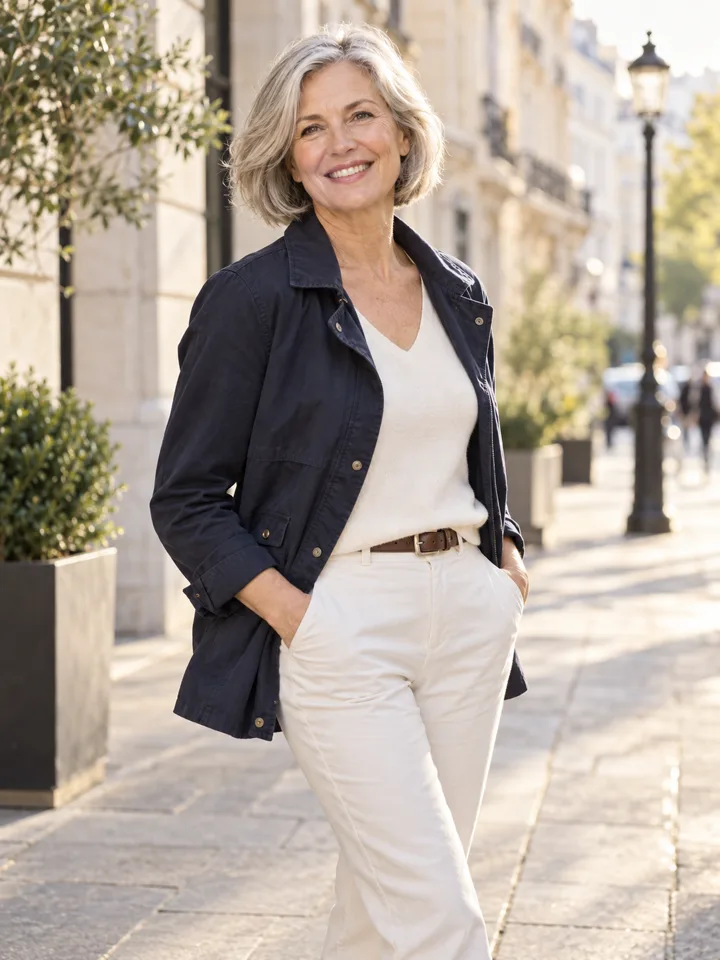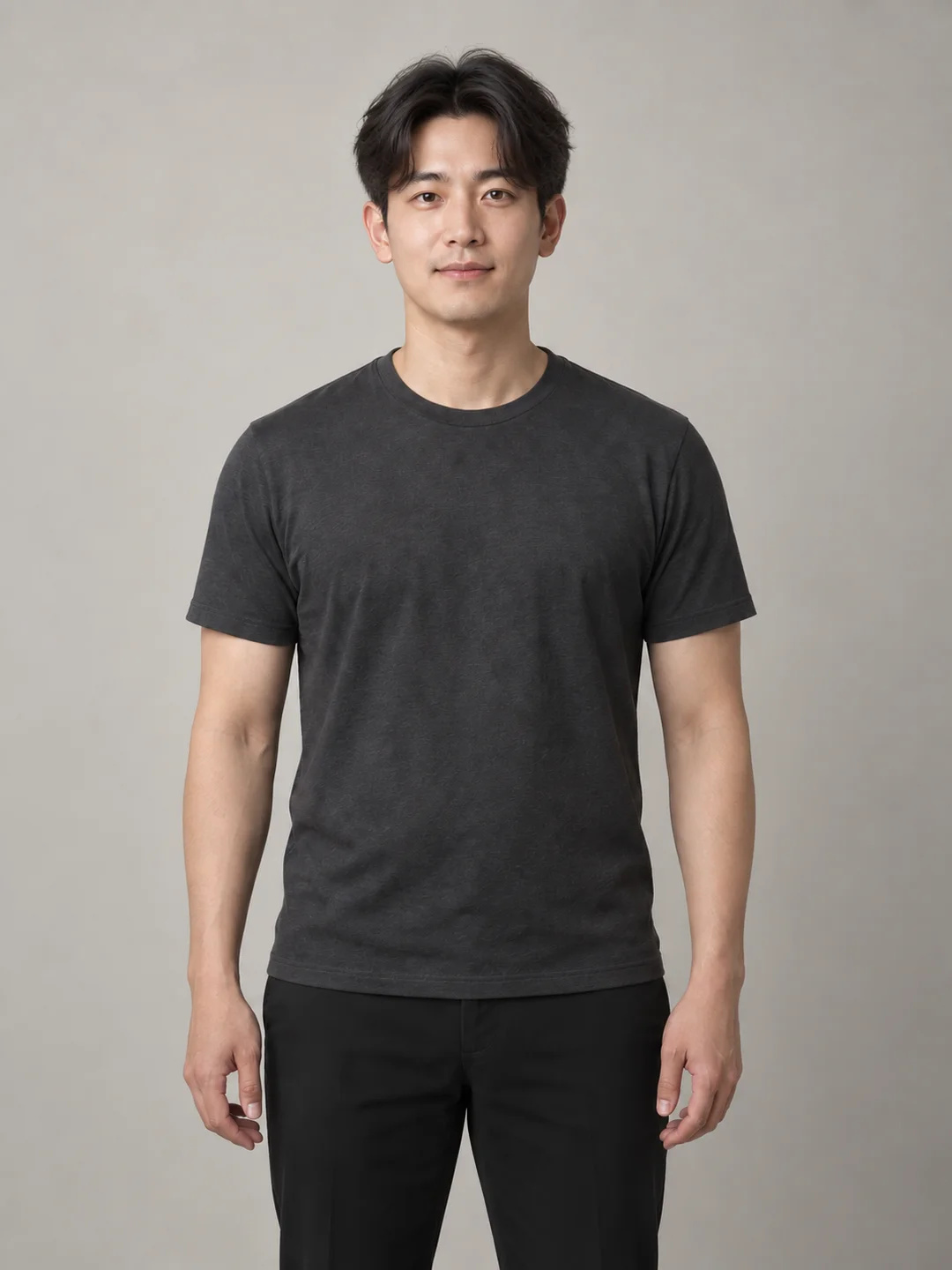
Quick answer
Choosing between a home office background and a studio background for a professional headshot comes down to a fundamental balance: contextual warmth versus neutral control. A home office background signals remote fluency, accessibility, and day-to-day working reality. However, it introduces practical challenges, including domestic clutter, unintended privacy disclosures, uneven ambient light, and edge-blending artifacts when simulated digitally. Conversely, a studio background—whether solid seamless paper, subtle textured canvas, or a neutral gray gradient—removes all environmental distraction and guarantees lighting consistency across platforms, but it can feel overly formal or generic if your industry culture favors informal connection.
To make the right choice, evaluate your photo against five objective criteria: visual distraction, household privacy, lighting consistency, edge quality, and truthful representation. If your home workspace cannot be controlled for light and confidentiality, or if a simulated environment creates blurry hair cutouts, a neutral studio backdrop serves as the safer, more durable standard. This guide provides a systematic workflow to evaluate both options on the same source photo, identify technical failure modes, and choose the background that best supports your professional presence.
Who Should Use Each Setting (and When to Walk Away)
Neither background is universally superior; each serves distinct communication goals depending on your role, channel, and industry.
                   ┌─────────────────────────────────────────┐
                   │  Is your workspace private, organized,  │
                   │    and lit with directional daylight?   │
                   └────────────────────┬────────────────────┘
                                        │
                         YES            │            NO
                  ┌─────────────────────┴─────────────────────┐
                  ▼                                           ▼
   ┌──────────────────────────────┐            ┌──────────────────────────────┐
   │ Do clients value informal,   │            │ Does your role require       │
   │ daily remote collaboration?  │            │ strict neutrality/compliance?│
   └──────────────┬───────────────┘            └──────────────┬───────────────┘
                  │                                           │
           YES    │    NO                              YES    │    NO
      ┌───────────┴───────────┐                   ┌───────────┴───────────┐
      ▼                       ▼                   ▼                       ▼
┌──────────────┐      ┌──────────────┐     ┌──────────────┐       ┌──────────────┐
│ Home Office  │      │ Studio Gray  │     │ Studio Solid │       │ Soft Studio  │
│  (Blurred)   │      │   / Canvas   │     │  (Seamless)  │       │   Gradient   │
└──────────────┘      └──────────────┘     └──────────────┘       └──────────────┘
When a Home Office Background Works Best
A home office setting is particularly effective for remote-first professionals, software engineers, independent consultants, digital marketers, and creative freelancers. In these roles, showing an authentic workspace—such as a neatly organized bookshelf, a discreet task lamp, or subtle architectural lines—communicates that you are comfortable working in modern distributed environments. When properly composed with a soft optical depth of field, an environmental background adds depth and character without pulling attention away from your face.
When a Studio Backdrop Is the Safer Standard
A studio backdrop is recommended for executive leadership, legal, corporate finance, medical, and regulated enterprise environments. As professional portrait analyses from Photo Shayna and backdrop specialists at Illumina Backdrops point out, studio backdrops provide timeless, uniform framing that does not date, clash with platform UI elements, or reveal personal living conditions. A neutral gray, off-white, or navy backdrop ensures that company directories and conference speaker boards remain cohesive across hundreds of team members.
Boundary Conditions: When to Seek In-Person Capture
If your organization requires strict compliance with specific corporate identity guidelines (such as matching exact RGB brand values or specific focal lengths), or if you are submitting photos for official government credentials or security badges, automated and DIY methods are unsuitable. In these instances, work with an authorized corporate photographer in a physical studio environment.
What to Hold Constant Before Comparing Options
A common mistake when choosing a headshot background is changing multiple elements at once. Comparing a home selfie taken in casual wear with an old studio portrait taken in a suit makes it impossible to isolate the impact of the background itself.
To conduct a valid comparison, apply the principle of one variable at a time:
- Keep the Base Subject Identical: Use the exact same capture of yourself—retaining your head angle, facial expression, eye contact, and grooming.
- Hold Wardrobe and Posture Steady: Do not evaluate background options while simultaneously altering your shirt color or body posture. A dark blazer might separate cleanly against an off-white studio paper but get lost against dark home office shelving.
- Align Light Direction: As detailed in LookScene's resource on portrait background lighting, a background composition will immediately fail visually if the key light on your face contradicts the environment. If your face is illuminated from the right, your background cannot feature a bright window on the left without creating subconscious visual friction.
- Preserve Current Likeness: Ensure your base capture accurately reflects how you look today. Avoid using an older photo simply because the background looks clean.
The 5-Step Comparison Workflow: From Capture to Final Decision
Follow this five-step sequence to test and evaluate home office versus studio settings objectively.
┌─────────────┐     ┌─────────────┐     ┌─────────────┐     ┌─────────────┐     ┌─────────────┐
│   Step 1:   │     │   Step 2:   │     │   Step 3:   │     │   Step 4:   │     │   Step 5:   │
│ Capture or  │────▶│ Privacy &   │────▶│ Test Studio │────▶│ Test Office │────▶│ Side-by-Side│
│ Select Base │     │ Distraction │     │  Baseline   │     │ Environment │     │ Edge & Light│
│    Photo    │     │    Audit    │     │   (Solid)   │     │   (Blur)    │     │   Review    │
└─────────────┘     └─────────────┘     └─────────────┘     └─────────────┘     └─────────────┘
Step 1: Secure a High-Quality Base Capture
Start with a well-exposed, sharp source photo. Position yourself facing a diffused natural light source (such as a large window with sheer curtains) or a soft key light. Ensure there is sufficient separation between you and your physical background to prevent harsh shadows on the wall behind you. If capturing at home with a smartphone or mirrorless camera, consult LookScene’s guide on taking a professional headshot at home for framing and focal length tips.
Step 2: Conduct an Environmental Privacy and Distraction Audit
If you are considering your actual physical room as the background, scan the frame carefully:
- Privacy check: Are there family photographs, diplomas displaying private details, whiteboard notes, calendar schedules, or visible street views through the window?
- Distraction check: Are there high-contrast items behind your head, such as horizontal door frames appearing to cut through your neck, brightly colored book spines, or reflective picture glass?
- If any of these elements cannot be physically moved or thrown out of focus, eliminate the raw room background immediately.
Step 3: Test a Neutral Studio Baseline
Place your base portrait against a clean, neutral studio backdrop—medium neutral gray (18% gray), soft warm white, or muted slate. Observe how your face, hair, and clothing separate from the background. A neutral studio backdrop creates an immediate baseline of visual clarity against which all other variations should be measured.
Step 4: Test a Controlled Home Office Environment
Next, evaluate your portrait against a contextual home office setting. If using software exploration tools such as LookScene's AI photoshoot tool, explore settings that feature soft, tasteful depth of field—such as warm wood tones, a softly blurred bookcase, or a clean architectural interior. Keep the depth of field shallow enough that background elements remain abstract shapes rather than readable objects.
Step 5: Conduct the Side-by-Side Inspection
Place the studio test and the home office test side by side at identical scale. Review them at both full resolution and thumbnail size (such as a 40×40 pixel round avatar used in chat apps and email clients). Note which setting draws the viewer's eye directly to your face without distraction.
Decision Matrix: Evaluating the Trade-Offs
Use this criteria matrix to evaluate each option against your professional requirements:
| Evaluation Criteria | Home Office Setting (Environmental) | Studio Backdrop (Neutral) | Decision Trigger |
|---|---|---|---|
| Visual Distraction | Moderate to High. Background shapes, books, and architectural lines compete with the face if not properly blurred. | Minimal. Monochromatic or subtle gradients keep 100% of viewer focus on the subject. | Choose Studio if your outfit has intricate patterns or if your industry demands immediate visual clarity. |
| Privacy & Security | Moderate Risk. Can inadvertently reveal living standards, geographic location, or personal lifestyle details. | Zero Risk. Discloses no personal, domestic, or spatial information. | Choose Studio if you work in compliance, legal, cyber-security, or value strict personal privacy. |
| Lighting Consistency | Complex. Requires that ambient light, window reflections, and color temperature match facial lighting precisely. | Straightforward. Studio lighting is controlled, predictable, and easily balanced across multiple team photos. | Choose Studio if your source photo was captured under artificial indoor lighting or mixed color temperatures. |
| Edge & Hair Quality | Higher Failure Rate. If digitally placed, fine flyaway hairs can show fringing, halos, or muddy edge cutouts. | High Fidelity. Crisp separation against neutral tones makes masking cleaner and preserves natural hair outlines. | Choose Studio if digital background tools struggle with your specific hair texture or loose curls. |
| Truthful Representation | High Authenticity when real; High Risk if an artificial, exaggerated luxury office is simulated. | High Neutrality. Never misrepresents your physical space because it claims no specific location. | Choose Studio over a generated office if the simulated background depicts a space you do not actually inhabit. |
Reject Criteria: Catching Edge Failures, Light Mismatch, and False Context
When reviewing background options—especially when testing digital or software-assisted environments—establish strict pass/fail criteria. Discussions among photographers and clients on Reddit r/headshots repeatedly point out that a poorly integrated background looks noticeably worse than a simple, unstyled wall.
   ┌──────────────────────────────────────────────────────────┐
   │                  PASS / FAIL AUDIT GATE                  │
   └────────────────────────────┬─────────────────────────────┘
                                │
        ┌───────────────────────┼───────────────────────┐
        ▼                       ▼                       ▼
┌──────────────┐        ┌──────────────┐        ┌──────────────┐
│ Edge Quality │        │ Light Match  │        │ Context Check│
│  Inspection  │        │  Direction   │        │ Authenticity │
└───────┬──────┘        └───────┬──────┘        └───────┬──────┘
        │                       │                       │
     FAIL IF:                FAIL IF:                FAIL IF:
• Halo around hair      • Shadow on left,       • Penthouse/loft
• Smudged flyaways        window on right         you don't work in
• Blurry collar cut     • Warm skin on cool     • Distracting
                          blue background         background clutter
1. Edge and Hair Cutout Artifacts (Fail)
Zoom in to 100% on the perimeter of your hair, shoulders, and ears:
- Halos and Fringe: If there is a glowing white, dark, or semi-transparent border around your hair or jacket, the background separation has failed.
- Lost Fine Detail: If fine flyaway hairs are abruptly clipped into blocky clumps or erased into a plastic helmet-like contour, reject the image.
- Collar Blending: Check where your shirt or jacket meets the background. If the fabric edge appears semi-translucent or bleeds into the background color, the image will appear amateurish.
2. Contradictory Lighting Directions (Fail)
Examine the shadows beneath your nose, chin, and eye sockets:
- If your facial shadows show that the primary light was directly in front of you, but the background features strong directional sunbeams or an illuminated lamp from the side, the composite will feel subconsciously discordant to viewers.
- Check color temperature: If your face is rendered in warm tungsten light (3200K) while the background is cool daylight (5600K), the image will look disjointed.
3. False Context and Unrealistic Environments (Fail)
Maintain strict truthfulness in your setting:
- The "Executive Penthouse" Trap: Never place yourself into a simulated multi-million-dollar high-rise office or an ornate mahogany boardroom if that does not represent your real working environment. Viewers, recruiters, and clients easily recognize generic stock or generated luxury backdrops, which damages professional credibility.
- The "Too Busy" Trap: If a viewer can read book titles on a shelf or identify specific artwork behind you, the background is actively competing with your face. The background should function as quiet wallpaper, not a conversation piece.
Tool Boundaries and Platform Limits
If you choose to use software styling tools like LookScene to explore how different backgrounds flatter your portrait, understand the operational boundaries of the technology:
- Editorial Exploration Only: LookScene is an invitation-preview personal AI photo styling tool for adults using their own photos. It allows you to explore hairstyle, outfit, and portrait-setting options. It does not provide garment sizing, exact-SKU try-on, wardrobe management, human styling, or team administration.
- No Identity or Proportion Guarantees: AI styling models can subtly alter facial details, eye shapes, hair textures, body proportions, or clothing fabrics. You must carefully inspect every output against your original photograph. If an edit modifies your facial geometry or creates unnatural skin smoothing, reject that generation immediately.
- Preview Status: Paid packages are displayed as planned on LookScene but are not available during the current free invitation preview.
- Self-Sufficiency: A professional headshot does not require AI software. You can achieve an exceptional studio or home headshot using a clean physical wall, natural window light, and basic smartphone portrait mode.
Final Review Checklist
Before uploading your headshot to LinkedIn, your company website, or a speaking program, verify each item on this checklist:
- Base Likeness Intact: Does the face match your current everyday appearance, with zero distortion to facial geometry, skin texture, or eye shape?
- Distraction Eliminated: Is the background quiet and supportive, ensuring the viewer's attention lands immediately on your eyes?
- Privacy Protected: If using a home office, are all personal items, identifiable documents, family photos, and external window views completely out of frame or obscured?
- Lighting Coherence: Do the angle, intensity, and color temperature of the background lighting match the key light on your face?
- Clean Edge Transitions: At 100% zoom, are your hair outlines, shoulders, and ears free from halos, smudged cutouts, and color bleed?
- Channel Fit: Does the formality of the background match the expectations of your primary professional platform and industry?
- Thumbnail Legibility: When scaled down to a small circle on a mobile screen, does your silhouette remain crisp and clearly recognizable?
Next Steps
If you already have a well-lit, high-resolution source photo and want to compare how a neutral studio tone versus a soft home office background complements your personal style, you can test one controlled background change using LookScene's AI photoshoot tool during its free invitation preview. Remember to inspect edge cutouts and facial likeness rigorously before keeping any result.
If your role requires strict corporate compliance, uniform team directories, or physical verification, set up a dedicated capture space at home using a neutral wall or schedule a session with a qualified portrait photographer.